
If your computer takes minutes to boot, spins its wheels opening a browser, or freezes every time you have more than two programs open, you’re probably wondering whether it’s worth fixing or whether you should just buy a new one. The honest answer is: it depends on what’s actually wrong, how old the machine is, and what a repair or upgrade would cost compared to a replacement. At Emerald Computers in Peoria, AZ, we diagnose slow computers every day, and more often than not the fix is cheaper and faster than most people expect.
Common Causes of a Slow Computer
Slowness rarely has one single cause. In our shop, these are the issues we find most often, roughly in order of how frequently they show up:
- A failing or nearly full hard drive. A traditional spinning hard drive (HDD) that’s over 85–90% full slows down dramatically, and a drive that’s starting to fail will slow down long before it stops working entirely.
- Not enough RAM. Modern browsers, Windows updates, and background apps all compete for memory. If you only have 4GB or 8GB of RAM and you keep a dozen browser tabs open, the system starts swapping to disk, which feels like everything is crawling.
- Malware and junk startup programs. Toolbars, “PC optimizer” apps, and background processes that launch at startup can quietly eat CPU and memory for years without you noticing.
- Aging hardware. A 7-to-10-year-old CPU simply can’t keep up with current web pages, security software, and Windows itself, no matter how clean the install is.
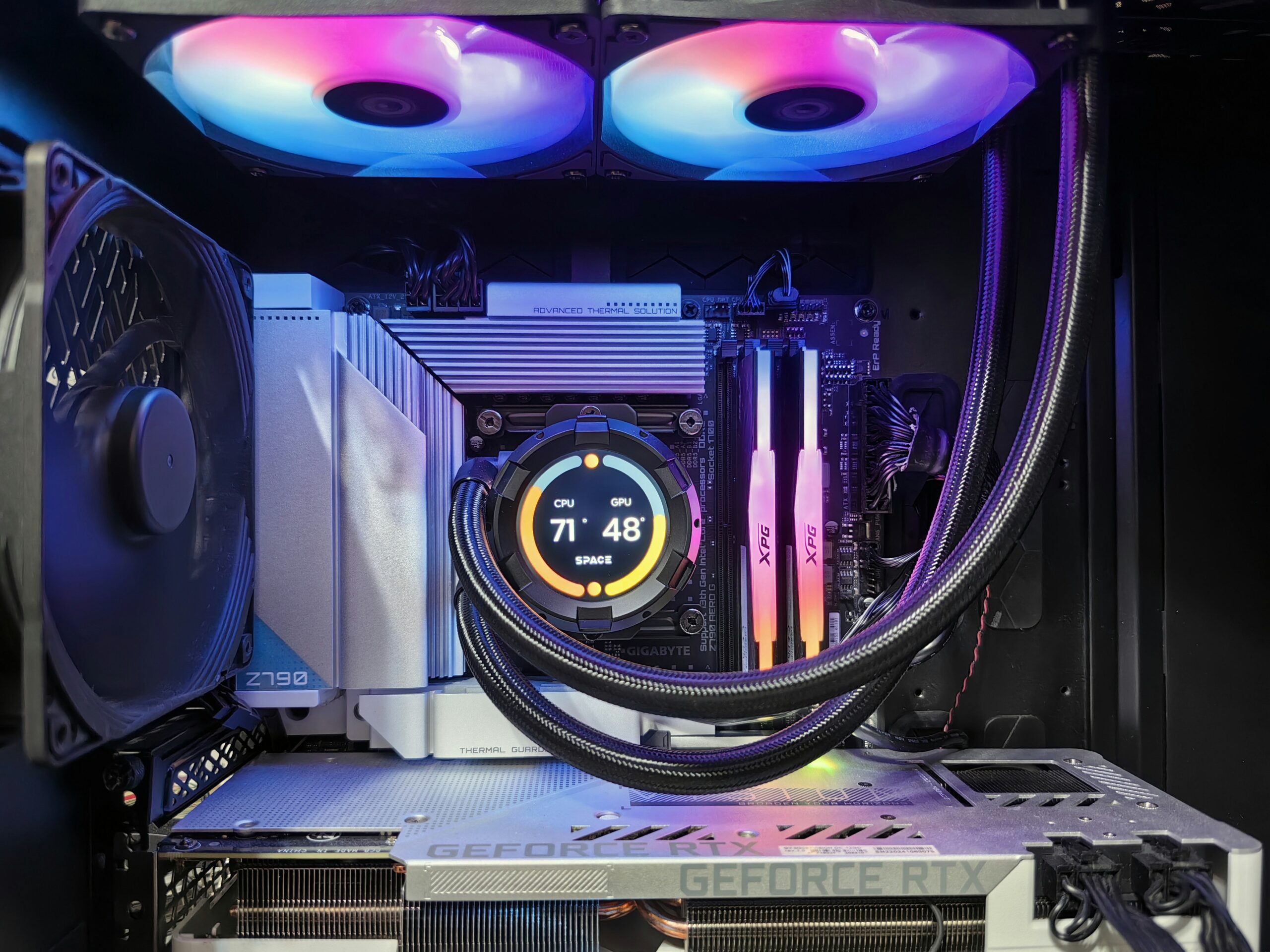
- Overheating and thermal throttling. This is especially common here in the Valley. Arizona heat and dust build up inside a case faster than most people realize, and a CPU that’s overheating will deliberately slow itself down to avoid damage. A laptop running hot on a bed or couch is a classic case.
Fix It or Replace It? A Simple Framework
Before you spend money either way, run through these three questions:
- How old is the computer? If it’s under 5 years old, a targeted upgrade (storage, memory, or a clean reinstall) usually brings it back to feeling new. Past 7–8 years, you’re fighting aging components on multiple fronts at once, and a replacement often makes more sense.
- What does the fix cost versus a new machine? A diagnostic, an SSD, or added memory typically runs well under half the price of a comparable new computer. If your repair estimate starts approaching what a decent refurbished or new PC costs, replacement wins.
- Can it run Windows 11? Microsoft has continued tightening hardware requirements, and a computer that can’t meet them will eventually stop receiving security updates. We cover exactly how to check this and what your options are in our guide on upgrading to Windows 11 in Peoria, AZ.
The Two Upgrades That Fix Most Slow Computers
If your computer is a reasonable age and still has a spinning hard drive or less than 16GB of RAM, you’re likely one or two upgrades away from a noticeably faster machine, without replacing anything else:
- Swapping a hard drive for a solid-state drive (SSD). This is the single biggest speed improvement we install, and it’s often the first thing we recommend. See our full breakdown in SSD Upgrade in Peoria, AZ.
- Adding more RAM. If your computer bogs down specifically when you have multiple programs or browser tabs open, more memory is usually the answer. Details and pricing guidance are in RAM Upgrade in Peoria, AZ.
How Emerald Computers Diagnoses a Slow PC
We start every slow-computer visit with a diagnostic ($35, waived if you move forward with a paid repair). We check drive health, memory usage, startup programs, malware, thermal performance, and Windows update status, then give you a plain-English explanation of what’s actually wrong and what it will cost to fix. From there, common services include:
- Windows Wipe and Install — $110. A clean operating system install that clears out years of accumulated junk, startup bloat, and misconfiguration.
- Tune-Up — $110. Optimization of an existing install without a full wipe: startup cleanup, malware removal, update repair, and driver fixes.
- Hourly labor — $195/hr for custom troubleshooting, and a $35 bench fee for drop-off work that falls outside a flat-rate service.
When Replacement Makes More Sense
Some situations point toward buying a new or refurbished computer instead of repairing the one you have: the motherboard or CPU itself is failing, the machine can’t be upgraded to meet Windows 11’s requirements, or the cost of parts and labor is close to what a comparable replacement costs. We’ll always tell you honestly which side of that line your computer falls on — we’d rather sell you a $110 tune-up that solves the problem than talk you into a new computer you don’t need.
Frequently Asked Questions
How much does it cost to fix a slow computer in Peoria, AZ?
Most slow-computer repairs at Emerald Computers fall between the $35 diagnostic fee (waived with a paid repair) and a $110 Windows Wipe and Install or Tune-Up. Hardware upgrades like an SSD or added RAM are priced separately and usually bring the total well under the cost of a new computer.
Will a factory reset fix a slow computer?
Sometimes, but a reset alone won’t help if the real problem is a failing hard drive, insufficient RAM, or overheating. We recommend a diagnostic first so you’re not paying to reinstall Windows on hardware that’s the actual bottleneck.
Is it worth upgrading an old computer instead of buying a new one?
If the computer is under about 5 years old and just needs an SSD, more memory, or a clean install, upgrading is almost always cheaper and faster than replacing it. Past 7–8 years, or if it can’t run Windows 11, replacement is usually the better value.
Does Arizona heat make computers run slower?
Yes. Dust buildup and high ambient temperatures common in the Peoria and Sun City area make CPUs and GPUs run hotter, which triggers thermal throttling — the processor deliberately slowing itself down to avoid damage. Regular cleaning and proper airflow can prevent this.
Emerald Computers Locations
Peoria: 7642 W Vogel Ave, Building 3, Peoria, AZ 85345 — 623-240-2424
Sun City: 10001 W Bell Road, Suite 126, Sun City, AZ 85351 — 623-223-7397
Comments are closed