
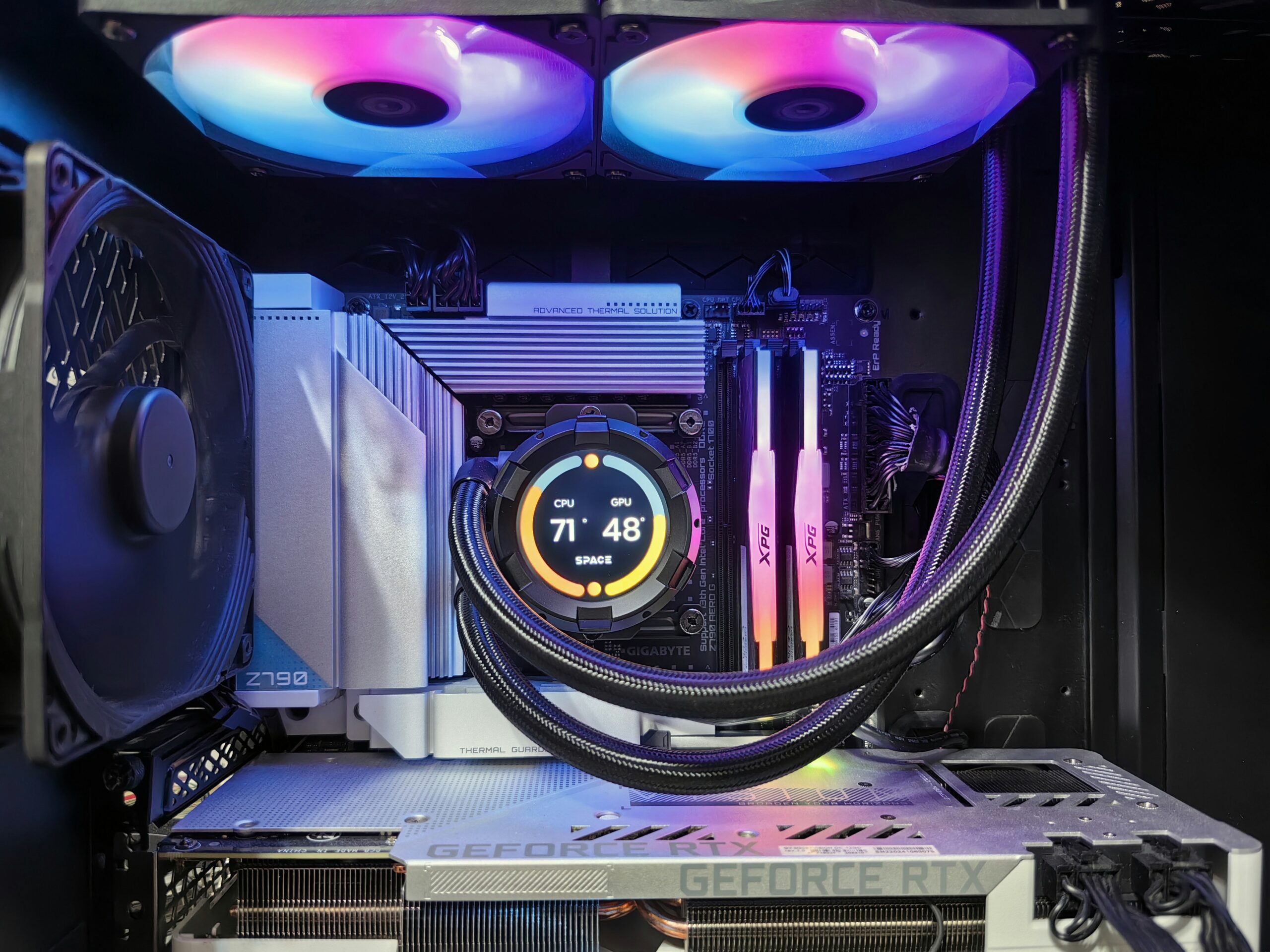
Gaming PC Running Slow? What to Upgrade First
Is your gaming PC running slow, struggling to maintain good frame rates, taking too long to load games, or freezing during demanding tasks? You may not need to replace the entire computer.
The right upgrade can make a major difference, but the best component to upgrade depends on what is limiting your PC. A graphics card upgrade may help one system, while another may benefit more from additional RAM, faster storage, a better CPU, improved cooling, or a stronger power supply.
If you are in Peoria, AZ, and aren’t sure what your gaming PC needs, Emerald Computers can evaluate your existing system and help you determine which upgrades make sense for your budget and how you use your computer.
Need a gaming PC upgrade? Bring your computer to our Peoria location or contact us at 623-240-2424.
Gaming PC Running Slow? Start by Finding the Bottleneck
When a gaming PC feels slow, it is tempting to immediately buy a new graphics card. Sometimes that is exactly what the computer needs. Other times, the GPU is not the problem.
Your computer’s performance depends on several components working together. If one component is holding the rest of the system back, upgrading something else may provide little improvement.
Before buying parts, consider:
- What games you play
- Your monitor resolution and refresh rate
- Your current graphics card
- Your processor
- How much RAM your computer has
- Whether Windows and your games are installed on an SSD
- Whether your PC is overheating
- Whether your power supply can support the hardware you want to install
Identifying the bottleneck first can help you spend your upgrade budget where it will actually make a difference.
1. Upgrade the Graphics Card
For many gaming PCs, the graphics card, or GPU, is one of the most important components affecting gaming performance.
If you are experiencing low frame rates, poor graphics performance, or difficulty running newer games at your preferred resolution and quality settings, your GPU may be the first component worth investigating.
A newer graphics card can provide a significant improvement when your existing GPU is no longer keeping up with the games you play.
Before upgrading your GPU
Don’t look at the graphics card by itself. The new card also needs to fit your case and work with the rest of your system.
- Physical clearance inside the case
- Power supply capacity
- Required power connectors
- CPU performance
- Motherboard compatibility
- Monitor resolution and refresh rate
A powerful GPU installed in an otherwise outdated system may not deliver the improvement you expect.
2. Add or Upgrade RAM
If your gaming PC does not have enough memory for the games and applications you use, adding RAM can improve overall responsiveness and reduce performance problems caused by memory limitations.
RAM can become particularly important when you are gaming while running other applications in the background, such as browsers, Discord, streaming software, recording software, or other programs.
However, adding more RAM is not automatically the best upgrade for every slow gaming PC. The existing motherboard, processor, memory configuration, and operating system all matter.
Before purchasing RAM, make sure the new memory is compatible with your system.
3. Upgrade to an SSD or NVMe Drive
If your gaming PC is still using an older mechanical hard drive as its primary drive, upgrading to an SSD can make the computer feel dramatically more responsive.
Storage upgrades can improve:
- Windows startup times
- Game loading times
- Application startup
- File transfers
- General system responsiveness
An SSD does not replace the performance benefits of a faster CPU or GPU, but it can make an older computer feel much quicker during everyday use.
If your current storage drive is nearly full, slow, aging, or unreliable, a storage upgrade may be especially worthwhile.
4. Check the CPU
Your processor, or CPU, handles many of the calculations required by games and other applications. In some gaming systems, the CPU becomes the limiting factor before the graphics card does.
A CPU upgrade may make sense if:
- Your processor is significantly older than the rest of the system
- CPU usage is consistently very high while gaming
- You experience CPU-related stuttering
- You are pairing a powerful modern GPU with an older processor
- You also use the PC for streaming, editing, rendering, or other CPU-intensive work
CPU upgrades require more compatibility checking than simply choosing a newer processor. The motherboard socket, chipset, BIOS support, RAM compatibility, cooling solution, and power requirements can all matter.
5. Don’t Ignore the Power Supply
The power supply, or PSU, is an important part of a gaming PC upgrade because newer or more powerful components may require different power requirements than the original system was designed for.
If you are installing a significantly more powerful graphics card or other hardware, the existing power supply should be checked before purchasing the upgrade.
An aging, low-quality, or insufficient power supply can also complicate troubleshooting when a computer becomes unstable after an upgrade.
Before installing a new GPU or other major component, make sure the power supply is appropriate for the complete system.
6. Improve CPU Cooling and Airflow
A gaming PC can also slow down when heat becomes a problem.
When components become too hot, the system may reduce performance to manage temperatures. You may notice lower performance after the computer has been running for a while, unusually loud fans, or other signs that the system is struggling with heat.
Depending on the system, improving cooling may involve:
- Replacing or upgrading the CPU cooler
- Improving case airflow
- Adding or replacing case fans
- Cleaning dust from appropriate components
- Checking whether the existing cooling solution is adequate for the hardware
Cooling problems should be investigated before assuming that buying a faster component will solve the problem.
How Do You Know Which PC Upgrade You Actually Need?
The best upgrade depends on the symptoms your gaming PC is experiencing.
| Problem | Upgrade to Investigate |
|---|---|
| Low FPS or weak graphics performance | Graphics card |
| Slow game and Windows loading | SSD or NVMe storage |
| Memory-heavy gaming and multitasking | RAM |
| CPU consistently limiting performance | CPU and possibly motherboard |
| High temperatures or performance drops after extended gaming | Cooling and airflow |
| New hardware exceeds current power requirements | Power supply |
| Several major components are outdated | Multiple upgrades or a replacement PC |
This is why it is usually better to evaluate the entire computer before buying a major upgrade.
Should You Upgrade Your Gaming PC or Replace It?
Not every gaming PC is worth upgrading indefinitely.
If your motherboard, CPU, RAM, storage, power supply, and graphics card are all several generations behind current hardware, replacing the system may provide better value than upgrading one component at a time.
On the other hand, an otherwise capable gaming PC may only need one or two targeted upgrades.
A professional evaluation can help you compare the cost of upgrading your existing computer with the cost of replacing it.
If an upgrade no longer makes financial sense, Emerald Computers also offers new and custom computer systems for customers who need a new machine.
Gaming PC Upgrades in Peoria, AZ
Emerald Computers can upgrade existing gaming desktops and help with component selection and installation.
Depending on your system and goals, upgrades may include:
- Graphics cards
- RAM
- SSD and NVMe storage
- Power supplies
- CPUs
- Motherboards
- Cooling components
- Other compatible PC hardware
You can also bring your own purchased or gifted components to the Peoria shop for assembly and installation. Our technicians can assemble components, route cables, and test hardware operation.
For more extensive upgrades involving multiple components or moving hardware into a new case, see our PC case swap and computer upgrade service in Peoria.
Bring Your Own PC Parts
Already purchased the graphics card, RAM, SSD, CPU, case, or another component you want to install?
You can bring your purchased or gifted PC components to Emerald Computers in Peoria. We can help assemble compatible components and install them in your existing gaming PC.
If you are not sure whether your parts are compatible, it is better to check before beginning the installation. A new component may require additional changes to the power supply, motherboard, cooling system, case, or other hardware.
What If My Gaming PC Is Still Slow After an Upgrade?
If your computer remains slow after installing a new component, the problem may not be the component you upgraded.
For example, a new GPU will not necessarily solve a CPU bottleneck. More RAM will not necessarily fix an overheating processor. An SSD will improve storage responsiveness but will not automatically increase graphics performance.
If a PC is slow after an upgrade, other possibilities include:
- Driver problems
- Hardware compatibility issues
- Thermal problems
- Insufficient power
- Software problems
- A different hardware bottleneck
- Hardware that was not installed or connected correctly
If your computer will not boot after an upgrade, see our guide: Computer Won’t Turn On? What to Check Before Replacing It.
How Much Does a Gaming PC Upgrade Cost in Peoria?
The cost depends on the hardware being installed and the amount of work required.
| Service | Current Rate |
|---|---|
| In-store computer repair and upgrade service | $90/hour |
| Residential/home service | $125/hour |
| Business/commercial service | $150/hour |
| Trip charge | $35 when more than 5 miles away |
For the most accurate estimate, bring your gaming PC and the components you want installed to our Peoria store.
You can also review our computer repair costs in Peoria, AZ.
Why Bring Your Gaming PC to Emerald Computers?
Emerald Computers’ Peoria location is a full-service computer repair facility with a large selection of computer parts and gaming hardware.
Our Peoria store carries upgrade and replacement components including SSDs, RAM, power supplies, and video cards. We can also help customers who need a custom-built or replacement gaming computer.
For customers who already own a gaming PC, upgrading the existing system may be a practical alternative to replacing the entire computer.
Our goal is to help you spend your computer budget where it makes sense for the way you actually use your PC.
Frequently Asked Questions About Gaming PC Upgrades
What should I upgrade first if my gaming PC is running slow?
It depends on what is limiting your system. A GPU may be the best upgrade for low gaming frame rates, while an SSD, RAM, CPU, cooling, or power supply may be more appropriate in other situations. The best approach is to identify the bottleneck before purchasing parts.
Will adding RAM make my gaming PC faster?
Additional RAM can improve performance when your system does not have enough memory for the games and applications you use. However, adding RAM will not fix every gaming performance problem. Your GPU, CPU, storage, and other components may be the actual limitation.
Does an SSD improve gaming performance?
An SSD can significantly improve Windows, application, and game loading times compared with an older mechanical hard drive. It does not replace the performance benefits of upgrading a CPU or GPU when those components are the bottleneck.
Should I upgrade my GPU or CPU first?
That depends on the games you play, your resolution and refresh rate, and your current hardware. If graphics performance is the limitation, a GPU upgrade may make the most sense. If the processor is limiting the graphics card or causing CPU-related performance problems, a CPU upgrade may be more appropriate.
Can Emerald Computers upgrade my existing gaming PC?
Yes. Emerald Computers can upgrade existing gaming desktops with compatible components such as graphics cards, CPUs, power supplies, RAM, and storage. Bring your gaming PC to our Peoria location so the system can be evaluated.
Can I bring my own PC parts to Emerald Computers?
Yes. Customers can bring purchased or gifted components to the Peoria shop. Our technicians can assemble compatible components, route cables, and test hardware operation.
How much does a gaming PC upgrade cost in Peoria, AZ?
In-store computer repair and upgrade service is $90 per hour. Residential service is $125 per hour, and business/commercial service is $150 per hour. A $35 trip charge applies when service is more than 5 miles away.
Should I upgrade my gaming PC or buy a new computer?
If your PC only needs one or two components upgraded, keeping the existing system may make sense. If several major components are outdated, replacing the computer may provide better value. Emerald Computers can help you compare the two options.
Gaming PC Upgrade Service in Peoria, AZ
If your gaming PC is running slow, don’t automatically replace the entire computer. The right upgrade may give your existing system more useful life and better performance.
Emerald Computers provides gaming PC upgrades, computer repair, hardware installation, and custom computer services in Peoria, AZ.
Emerald Computers
7642 W Vogel Ave #3
Peoria, AZ 85345
623-240-2424
Visit our Peoria store with your gaming PC or contact us to discuss your upgrade.
Ready to upgrade your gaming PC? Call Emerald Computers at 623-240-2424.
Questions about your computer? Our Peoria and Sun City stores can help.
Contact Emerald Computers
Comments are closed