
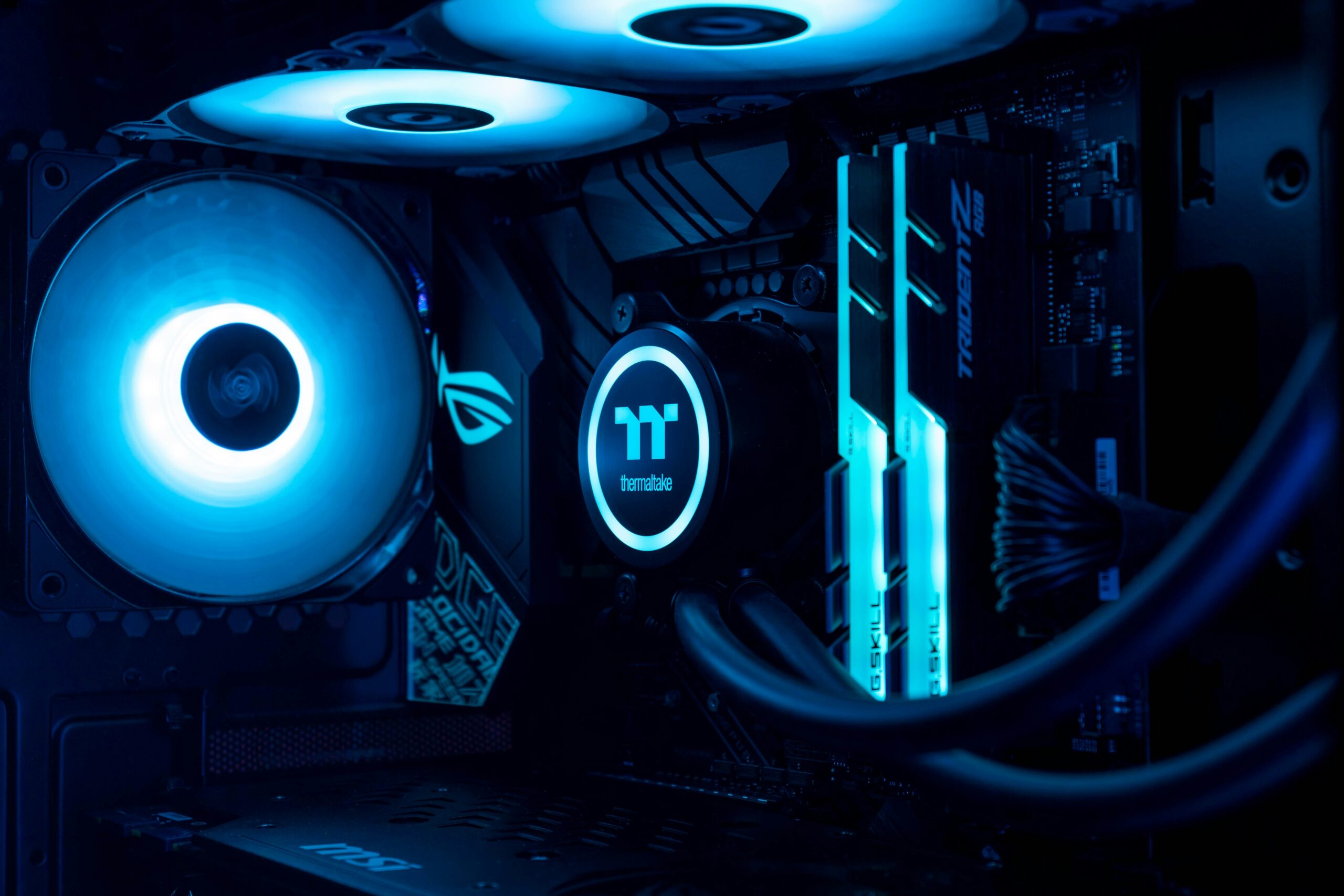
Building your own gaming computer gives you control over performance, appearance, upgradeability and price—but only when all the parts work together correctly.
A powerful graphics card cannot perform at its best with an unsuitable processor, weak power supply, restricted case or inadequate cooling. At the same time, buying the most expensive component in every category can waste money without improving the games you actually play.
Emerald Computers helps customers build custom gaming PCs in Peoria, Arizona. We can help you select compatible components, assemble the computer, configure the system and plan for future upgrades.
Call 623-240-2424 to discuss your games, monitor, desired performance and budget.
Why Build a Custom Gaming Computer?
Mass-produced gaming computers can be convenient, but some prebuilt systems concentrate their budget on the processor and graphics card while using less capable motherboards, power supplies, memory, storage or cooling.
A custom gaming PC allows every major component to be selected for the complete system. That can provide several advantages:
- Performance matched to the games you play
- A better balance between the processor and graphics card
- Enough memory and storage for your actual needs
- A dependable power supply with room for future upgrades
- Cooling designed for the selected components
- A case with appropriate airflow and component clearance
- Standard components that can be replaced or upgraded later
- Control over RGB lighting, case style and overall appearance
The goal is not simply to build the most expensive computer. The goal is to build a balanced gaming system that delivers the performance you want without spending money in the wrong places.
Start With Your Games, Monitor and Performance Goals
Before choosing components, decide what the computer needs to accomplish. The correct build depends heavily on the games you play and the monitor you plan to use.
A computer intended for competitive esports at a very high frame rate has different priorities than a system designed for graphically demanding games at 4K. Streaming, video editing, virtual reality, game development and other workloads can also change the recommended parts.
| Gaming goal | Primary consideration | Build priority |
|---|---|---|
| 1080p high refresh rate | Very high frame rates | Strong processor performance and a balanced graphics card |
| 1440p gaming | Image quality and high frame rates | More graphics performance with a capable processor |
| 4K gaming | High-resolution graphics | Graphics-card performance, video memory, cooling and power |
| Gaming and streaming | Running multiple workloads | Processor resources, memory, storage and encoding capability |
| Simulation and strategy games | CPU-intensive calculations | Processor performance and sufficient memory |
Tell the Emerald Computers team which games you play, your monitor resolution, refresh rate and approximate budget. That information is more useful than asking for a computer that is simply “fast.”
Choosing Parts for Your Custom Gaming PC
Gaming Processor
The processor handles game logic, simulation, background tasks and instructions sent to the graphics card. CPU-intensive games and high-frame-rate competitive gaming can benefit from a stronger processor.
However, spending too much on the processor can reduce the amount available for the graphics card, monitor or other components. A balanced midrange processor may produce a better complete gaming system than an extreme processor paired with an underpowered graphics card.
Graphics Card
The graphics card is usually the most important performance component for visually demanding games. Your target resolution, graphics settings, desired frame rate and use of ray tracing all affect how much GPU performance you need.
The graphics card also affects power-supply requirements, case clearance, heat output and cooling. Choosing a GPU without checking those requirements can lead to compatibility problems later.
Motherboard
The motherboard must support the selected processor, memory, storage and expansion requirements. It should provide the connections you need without forcing you to pay for features you will never use.
Important considerations include the processor socket, chipset, BIOS compatibility, memory support, PCIe slots, NVMe storage connections, networking, Wi-Fi, Bluetooth and available USB ports.
Memory
Sixteen gigabytes of RAM can still support many gaming systems, but 32GB gives modern builds more room for demanding games, streaming, browser tabs, voice chat and background applications. Professional content creation and specialized workloads may require more.
Memory capacity is not the only consideration. The memory generation, speed, latency, number of modules and motherboard support should all be checked before purchasing a kit.
NVMe Storage
An NVMe solid-state drive provides fast startup, responsive applications and shorter loading times than an older mechanical hard drive. The correct capacity depends on the size of your game library and whether the system will also store video, photographs or work files.
Many builders choose a larger primary NVMe drive so Windows, applications and frequently played games can remain on fast storage without constant file management.
Power Supply
The power supply should be chosen for reliability, connector compatibility and the requirements of the complete system—not wattage alone. The graphics-card manufacturer’s recommendations, transient power demands, processor, cooling equipment and future upgrades must all be considered.
A properly selected power supply can support stable operation and leave reasonable upgrade capacity without being unnecessarily oversized.
Case and Cooling
A gaming case must physically accommodate the motherboard, graphics card, power supply, storage and cooling system. Good airflow is especially important for powerful gaming computers operating in Arizona’s hot climate.
Cooling should be matched to the processor and graphics card. More fans or a larger liquid cooler do not automatically create a better computer. Fan placement, radiator clearance, airflow direction, noise and case design all matter.
How Emerald Computers Builds a Balanced Gaming PC
Emerald Computers can help turn a list of games and performance goals into a compatible gaming-computer configuration.
- Define the goal: Identify the games, resolution, frame-rate target, streaming needs and budget.
- Select compatible parts: Match the processor, motherboard, memory, graphics card, storage, power supply, cooling and case.
- Check physical requirements: Confirm graphics-card length, cooler height, radiator clearance, power connectors and airflow.
- Assemble the system: Install and connect the components carefully with organized cable management.
- Install and configure Windows: Set up the operating system, drivers, updates and essential system settings.
- Test the computer: Check temperatures, stability, storage, memory and graphics performance before delivery.
- Plan future upgrades: Explain practical options for adding storage, memory or a more powerful graphics card later.
Available components and recommendations change as new hardware is released. Call 623-240-2424 to check current inventory and discuss a configuration.
Ryzen 7 9800X3D and RTX 5070 Gaming Builds
The Ryzen 7 9800X3D and GeForce RTX 5070 family are frequently considered for high-performance gaming computers. The processor and graphics card can operate together, but compatibility requires more than matching two model names.
A Ryzen 7 9800X3D build requires a compatible AM5 motherboard and appropriate DDR5 memory. An RTX 5070 or RTX 5070 Ti requires a suitable PCIe slot, power supply, power connection, case and cooling configuration.
The best pairing depends on the games, resolution and performance target. A customer focused on 4K gaming may benefit from directing more of the budget toward graphics performance. A competitive gamer pursuing extremely high frame rates may benefit more from the Ryzen 7 9800X3D’s gaming performance.
Should You Build a New Gaming PC or Upgrade Your Current Computer?
You may not need a completely new system. An existing gaming computer could benefit from a graphics-card upgrade, additional memory, a larger NVMe drive, improved cooling or a replacement power supply.
The condition and capabilities of the motherboard, processor, power supply and case determine which upgrades make sense. Replacing one component can sometimes require changes elsewhere in the system.
Emerald Computers provides gaming computer repairs and hardware upgrades. Bring the computer to our Peoria location so the team can evaluate its current components and discuss practical options.
New, Used and Refurbished Gaming Options
A completely new custom build is not the only option. Depending on available inventory, a used or professionally refurbished computer may provide a more affordable starting point for gaming or future upgrades.
Customers can also explore Emerald Computers’ used and refurbished computers. Because inventory changes regularly, call before visiting if you need a particular processor, graphics card, case style or price range.
Gaming Computer and Hardware Trade-Ins
Upgrading can leave you with an older gaming computer or components you no longer need. Emerald Computers provides in-person evaluations for gaming computers and eligible hardware.
Bring the equipment to the Peoria location for inspection. If Emerald Computers can purchase it, the team will explain the available cash or check offer. The amount depends on the hardware, condition, age, specifications and current resale demand.
Why Build Your Gaming Computer Locally?
Buying components online can work when you already understand every compatibility requirement. When something does not fit, fails during installation or produces unstable performance, troubleshooting several products from different sellers can become frustrating.
Working with a local computer store gives you a place to discuss the complete system before buying components. Emerald Computers combines computer sales, parts inventory, assembly, diagnostics, repair and upgrade experience at one Peoria location.
- Discuss your build with local computer technicians
- Choose parts around real gaming and performance goals
- Check component compatibility before assembly
- Ask about current parts and computer inventory
- Bring the system back for future upgrades or troubleshooting
- Explore used and refurbished alternatives when appropriate
Ryzen 7 9800X3D and RTX 5070 Compatibility FAQs
Is the Ryzen 7 9800X3D overkill for an RTX 5070?
The Ryzen 7 9800X3D may be more processor than many RTX 5070 gaming systems require, especially at 1440p or 4K, where graphics-card performance usually matters more. However, it can be an excellent choice for competitive high-refresh-rate gaming, CPU-intensive games, simulation titles, streaming and future graphics-card upgrades. A less expensive Ryzen 5 or Ryzen 7 processor may provide better overall value for a budget-focused RTX 5070 build.
Is the RTX 5070 Ti compatible with the Ryzen 7 9800X3D?
Yes, the RTX 5070 Ti is compatible with the Ryzen 7 9800X3D. The processor requires a compatible AM5 motherboard, while the graphics card installs in the motherboard’s PCIe x16 slot. The complete system must also have a suitable power supply, the correct GPU power connection, sufficient case clearance and adequate cooling. This combination is well suited to high-performance 1440p gaming and capable 4K gaming.
Is the RTX 5070 compatible with a Ryzen 5 processor?
Yes, an RTX 5070 can be used with a Ryzen 5 processor. Compatibility depends on the motherboard, PCIe slot, power supply, case clearance and power connections—not whether the processor carries the Ryzen 5 name. A modern Ryzen 5 can provide a well-balanced gaming system, although performance will vary by processor generation, game, resolution and target frame rate.
Does the Ryzen 7 9800X3D bottleneck the RTX 5070 Ti?
The Ryzen 7 9800X3D should not create a meaningful processor bottleneck for an RTX 5070 Ti in most gaming situations. At 1440p and 4K, the graphics card will commonly be the primary performance limit. At 1080p with very high frame-rate targets, the game engine and other system components can still affect performance. Generic bottleneck-calculator percentages should not be treated as exact measurements.
Can Emerald Computers help me choose gaming PC parts?
Yes. Tell the Emerald Computers team which games you play, the monitor resolution and frame rate you want, whether you plan to stream and how much you want to spend. The team can help identify compatible parts for a balanced gaming computer.
Can Emerald Computers upgrade my existing gaming PC?
Yes. Emerald Computers provides gaming PC diagnostics and hardware upgrades. Available options depend on your motherboard, processor, power supply, case, cooling and current components.
Build Your Gaming Computer at Emerald Computers
Whether you want an affordable 1080p gaming computer, a high-refresh-rate 1440p system, a capable 4K machine or a gaming and streaming workstation, Emerald Computers can help you build around your actual goals.
Emerald Computers
7642 W Vogel Ave, Building 3
Peoria, AZ 85345
Just south of Bell Road near 75th Avenue
Phone: 623-240-2424
Peoria store hours:
- Monday–Wednesday: 10:00 AM–6:00 PM
- Thursday–Friday: 10:00 AM–7:00 PM
- Saturday: 11:00 AM–4:00 PM
- Sunday: Closed
Call 623-240-2424, view our gaming computer articles or get directions to Emerald Computers.
Questions about your computer? Our Peoria and Sun City stores can help.
Contact Emerald Computers
Comments are closed